
Claude Opus 4.8 in Plain English: Every Feature and Setting That Matters
On May 28, 2026, Anthropic shipped Claude Opus 4.8 — its most capable model yet, and the one I now run for hours a day. If you've opened Claude Code or the Claude app since the update and stared at a menu full of words like effort, thinking, xhigh, and Ultracode, this post is for you.
I'm going to walk through every feature and setting in plain English — what each one does, when to touch it, and what it costs you. No jargon for jargon's sake. Just the working knowledge you'd get if you sat next to me while I used it.
The 30-second version
- What it is: Anthropic's flagship model — the smartest one they make, tuned for hard reasoning, long coding sessions, and doing real work on its own without babysitting.
- The headline number: a 1,000,000-token memory (context window) — big enough to hold an entire codebase or a stack of books in a single conversation.
- The settings that matter: just three — Effort (how hard it works), Thinking (whether it reasons before answering), and Fast mode (how quickly it types). Everything else you can leave alone.
- The honest upgrade: Anthropic says 4.8 is 4× less likely than the previous version to let a flaw in its own code slip by unmentioned. In daily use, that's the difference you feel most.
That's the whole thing. The rest of this post is the detail behind each line.
What Opus 4.8 actually is
Anthropic makes models in three sizes, and Opus is the biggest. Think of it as hiring the senior engineer instead of the intern: slower and pricier per task, but you hand it the gnarly problems and trust the result. Opus 4.8 is the current top of that line, built for "complex reasoning, long-horizon agentic coding, and high-autonomy work" — which is a fancy way of saying it can be pointed at a big, messy job and left to finish it.
Two facts shape everything else about it:
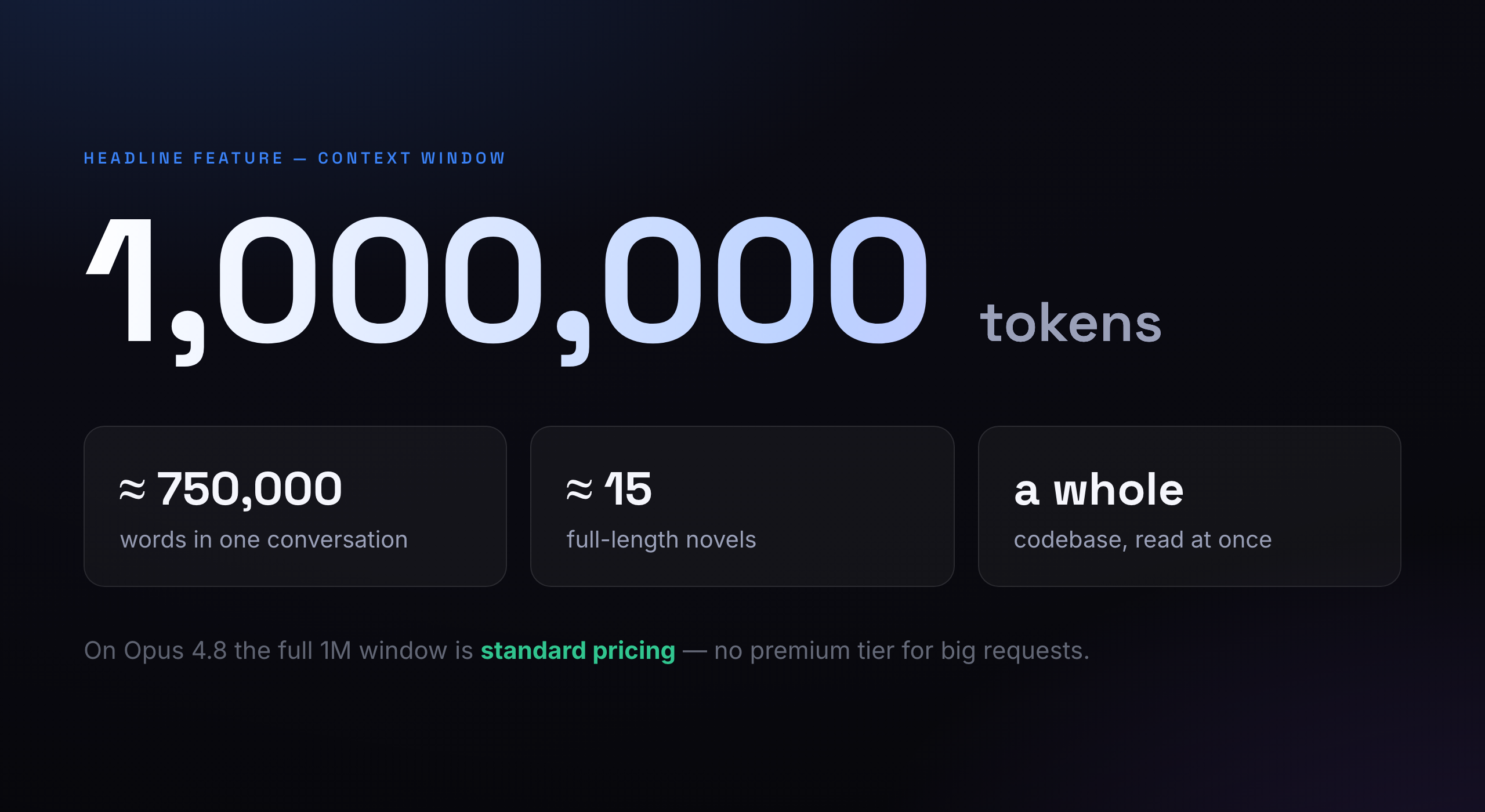
1. It has a huge memory. The "context window" is how much the model can hold in mind at once — your question, the files you've shown it, the whole back-and-forth. Opus 4.8's window is a million tokens (roughly 750,000 words). You can drop a complete project into the conversation and it keeps all of it in view. Better still, Anthropic charges the same per-token rate whether you use 9,000 tokens or 900,000 — there's no "large request" surcharge.
2. Its knowledge stops in January 2026. Like every model, it was trained on data up to a cutoff — here, January 2026. It doesn't inherently know what happened after that. That's exactly why pairing it with live tools (web search, your codebase, your docs) matters: the tools supply the fresh facts, the model supplies the judgment.
Which Claude should you actually use?
Opus isn't always the right answer. Anthropic ships three models, and picking the right one saves you real money. Here's the plain-English version:
| Model | Think of it as… | Best for | Memory |
|---|---|---|---|
| Opus 4.8 | The senior engineer | Hard reasoning, big refactors, long autonomous jobs | 1M tokens |
| Sonnet 4.6 | The fast, sharp generalist | The best balance of speed and smarts — most everyday work | 1M tokens |
| Haiku 4.5 | The quick specialist | Cheap, instant tasks at near-frontier quality | 200K tokens |
My rule of thumb: reach for Opus when getting it wrong is expensive — architecture decisions, security-sensitive code, anything I'm going to ship without re-checking line by line. For drafting, quick edits, and high-volume tasks, Sonnet is the workhorse and Haiku is the sprinter.
The settings menu, decoded
Here's where most people freeze. When you open the model/settings menu in Claude Code, it looks like this — and the labels assume you already know what they mean:
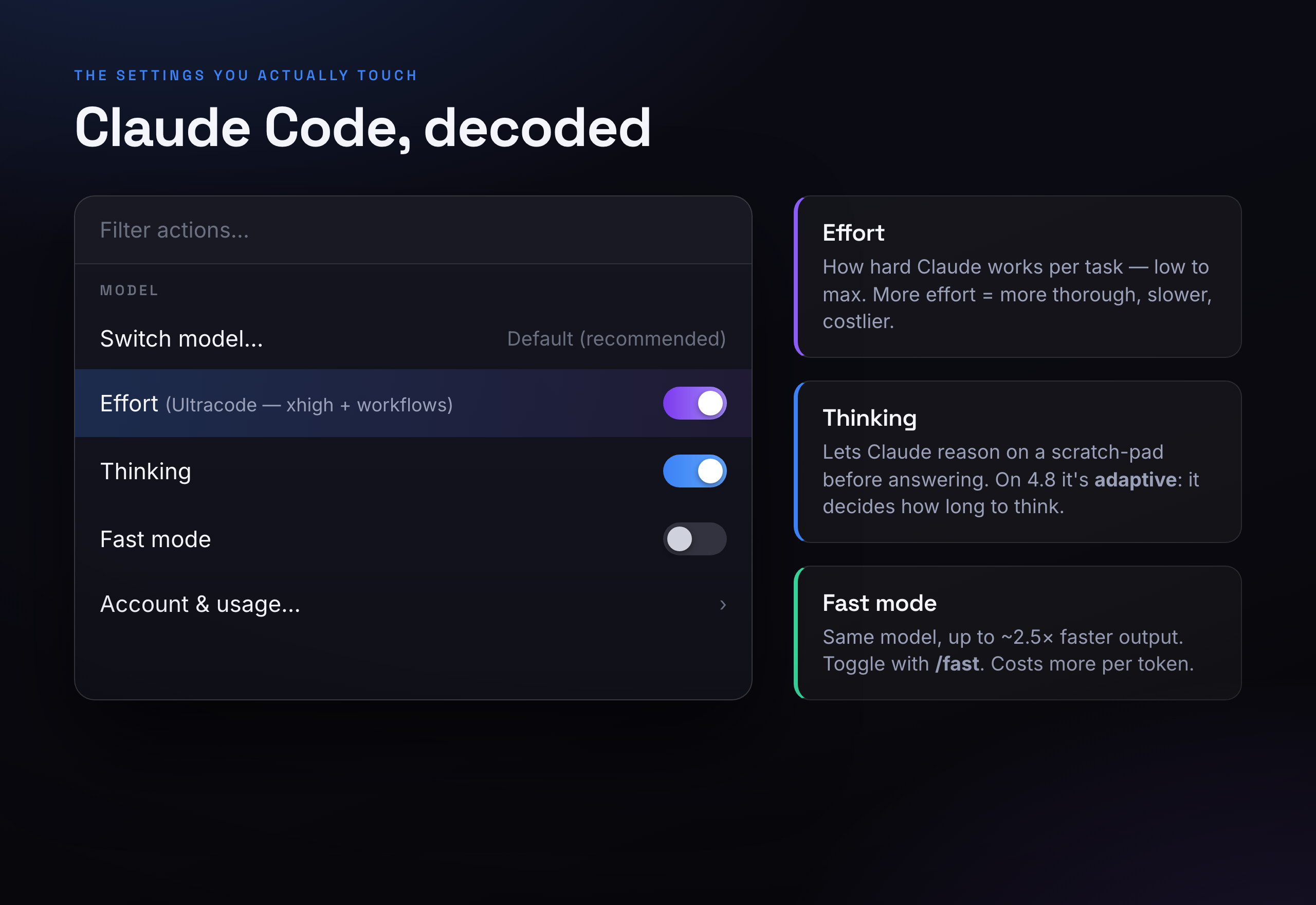
Four lines matter. Let's take them one at a time.
1. Switch model
Exactly what it says: choose Opus, Sonnet, or Haiku. "Default (recommended)" lets the tool pick a sensible model for you. If you don't want to think about it, leave it on Default. If you're about to do something hard, switch to Opus 4.8 on purpose.
2. Effort — one dial for thoroughness
This is the most useful setting almost nobody understands. Effort controls how much work Claude puts into a task — how many tokens it's willing to spend across its answer, its tool use, and its private reasoning. Low effort is quick and cheap. High effort is slow and thorough. Same brain either way; you're just telling it how hard to dig.
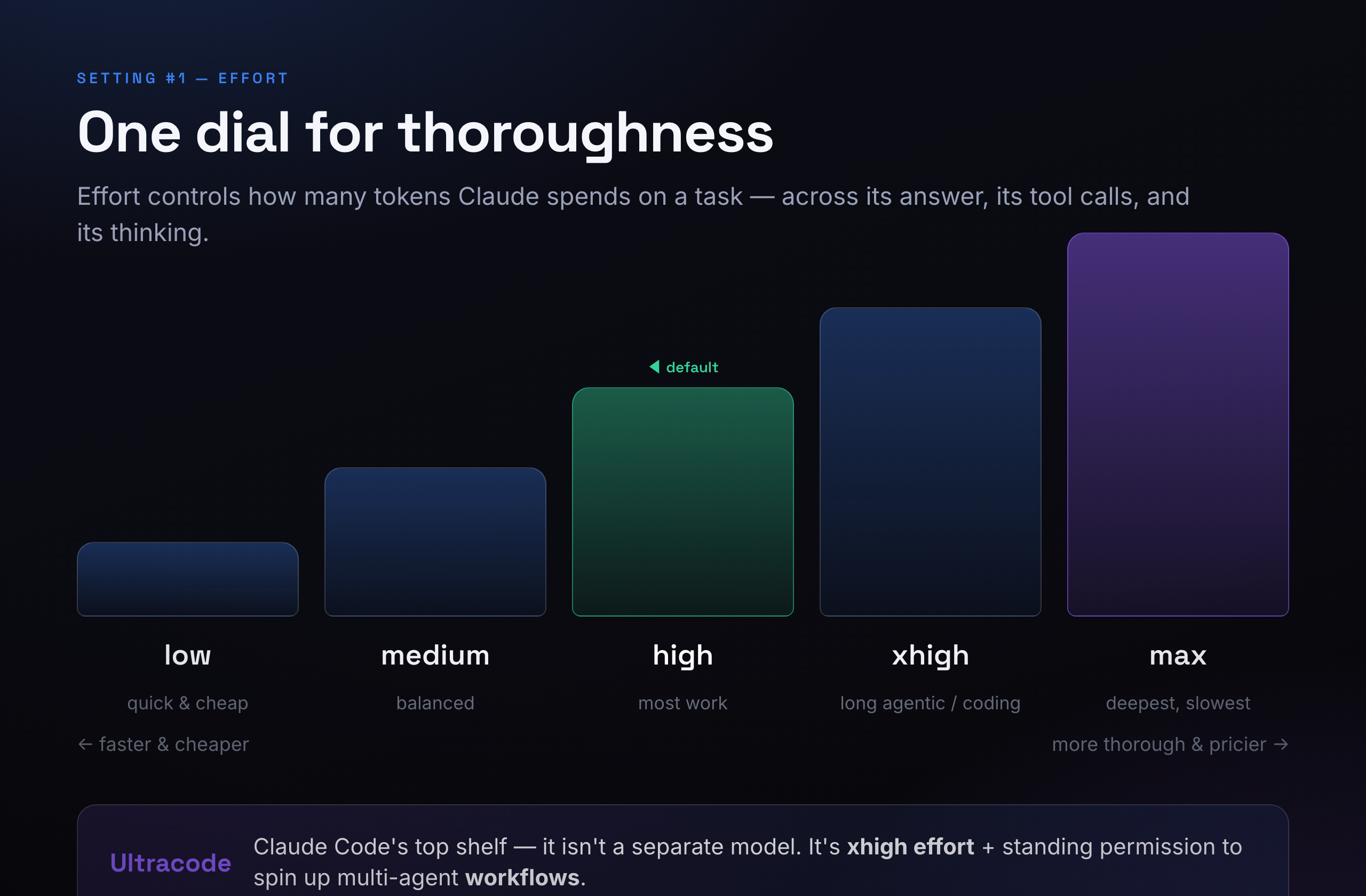
There are five levels:
- low — fast and cheap. Good for simple, obvious tasks.
- medium — a balanced middle gear.
- high — the default. If you change nothing, this is what you get, and it's the right setting for most work.
- xhigh — for long coding and agentic jobs that run for half an hour or more and burn through a lot of tokens.
- max — the deepest, slowest, most thorough setting. Reach for it when correctness beats speed and cost.
And then there's the word that confuses everyone: Ultracode. It is not a secret super-model. In Claude Code, "Ultracode" simply means xhigh effort turned up and standing permission for Claude to spin up multi-agent workflows — i.e. to fan a big job out across several helper agents working in parallel. It's the top shelf for serious, long-running builds. For a quick question, it's overkill.
How I set it: I leave effort on high for most things and bump it to xhigh when I kick off a real coding session. I rarely touch low — saving a few cents isn't worth a worse answer.
3. Thinking — let it reason before it answers
"Thinking" lets Claude work on a private scratch-pad before it replies — planning, weighing options, catching its own mistakes — instead of blurting out the first thing. For anything with more than one moving part, it produces noticeably better answers.
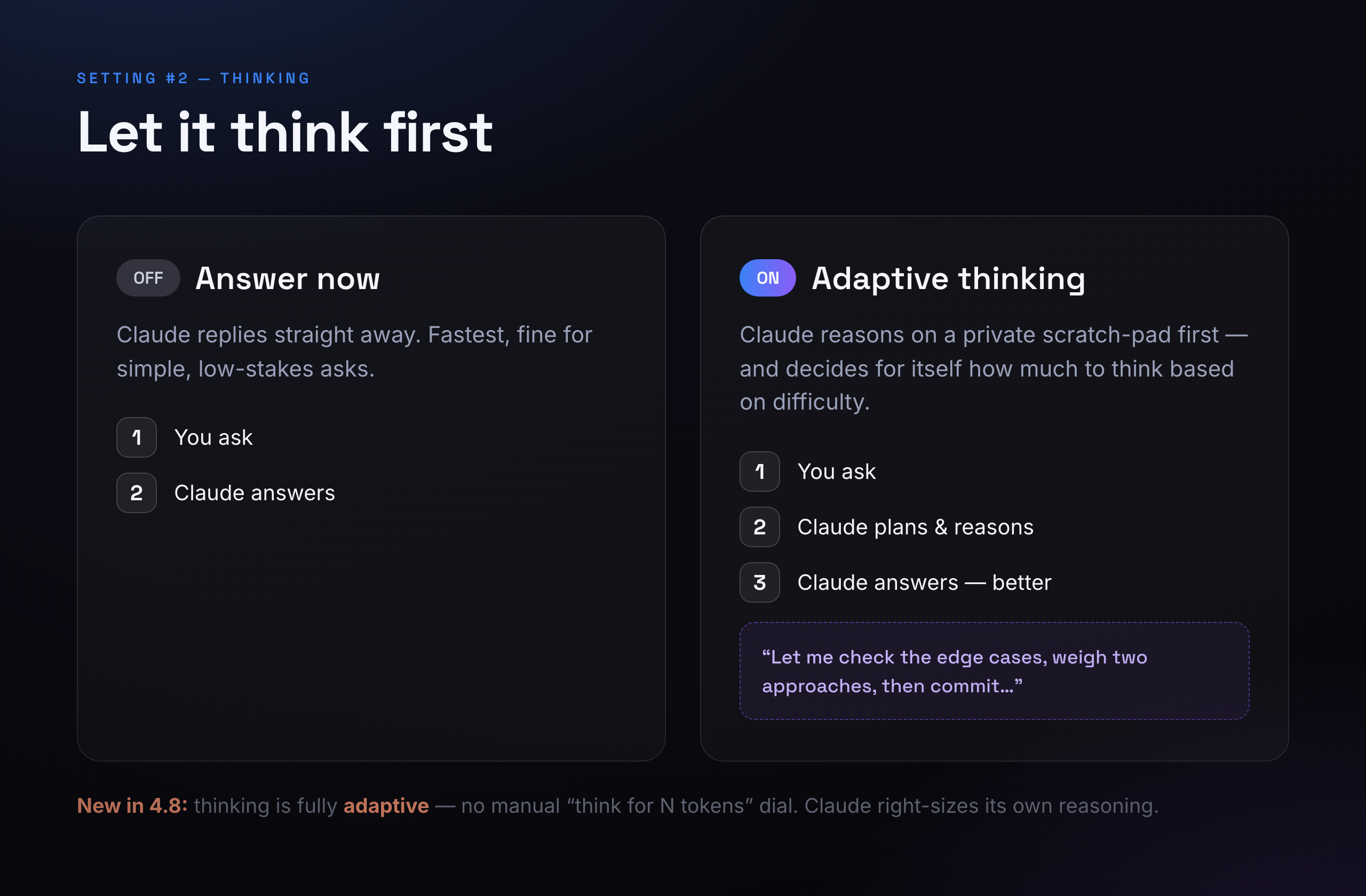
Here's the genuinely new part in 4.8: thinking is now adaptive. On older models you had to hand-set a "think for N tokens" budget. Opus 4.8 drops that knob entirely and decides for itself how much to think based on how hard the problem is — a quick question gets a quick answer, a thorny one gets real deliberation. You just turn it on and let it right-size itself.
How I set it: on, for anything non-trivial. Off only when I want a one-line answer as fast as possible.
4. Fast mode — same brain, quicker typing
Fast mode does one thing: it makes the model stream its answer faster — up to about 2.5× the normal output speed. The crucial detail: it's the exact same model. You are not being quietly downgraded to a smaller, dumber model to save time — Opus 4.8 stays Opus 4.8; it just types quicker.
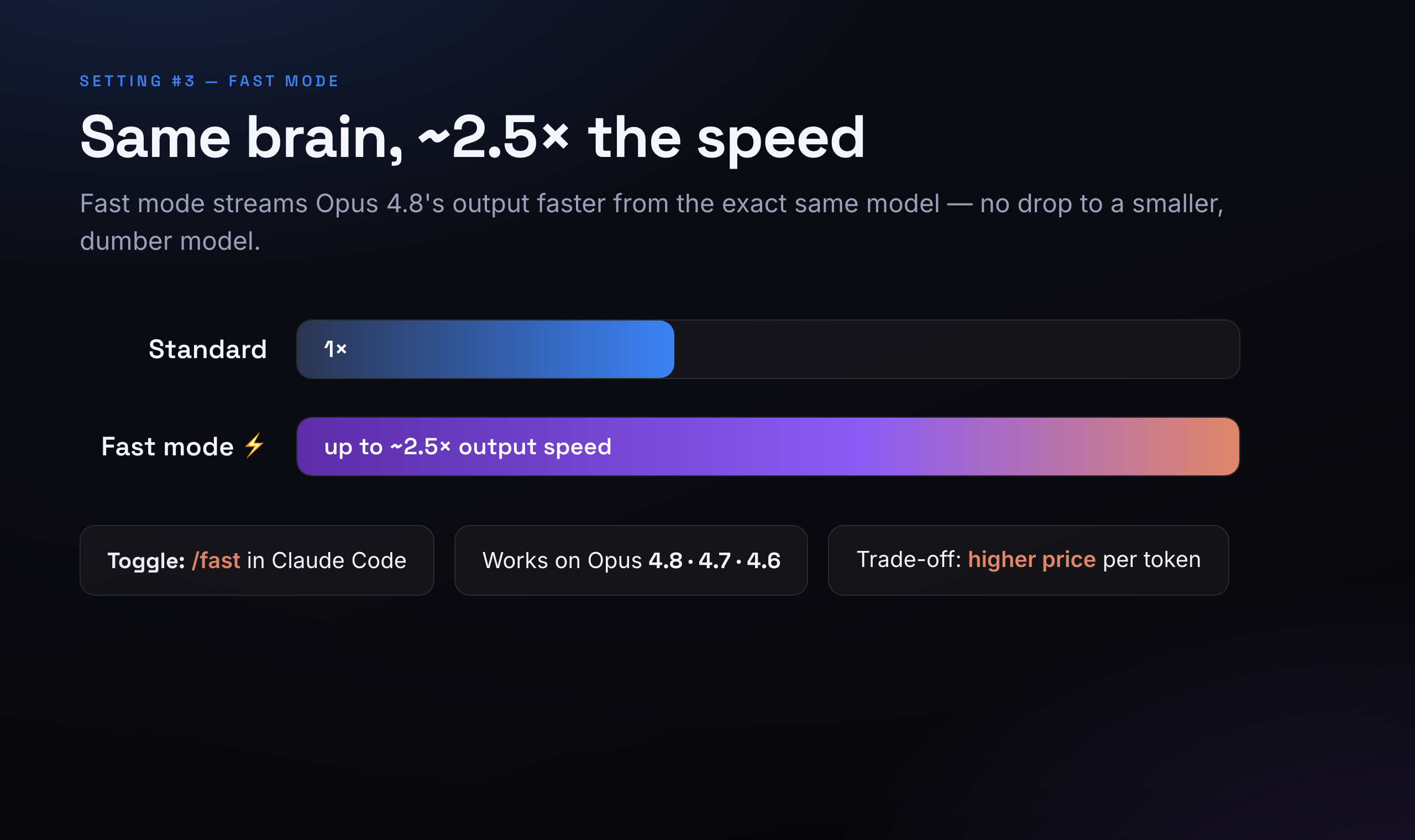
You toggle it with /fast in Claude Code, and it works on Opus 4.8, 4.7, and 4.6. The trade-off is price: faster output costs more per token. I switch it on when I'm actively watching a long answer stream and I want it now; I leave it off for background jobs where I don't care if it finishes a few seconds later.
The rest of the menu (quick hits)
- Account & usage — your plan, limits, and how much you've used. Check it if you're hitting caps.
- Attach file / Mention file — feed a specific file into the conversation so Claude can see it.
- Clear conversation — wipe the slate and start fresh (frees up that big memory).
- Rewind — step back to an earlier point in the chat. Underrated: if a session goes sideways, rewind instead of starting over.
What's genuinely better in 4.8
Version bumps can be hype. This one earns it in a way you feel rather than read on a chart. The single most useful change: Anthropic reports Opus 4.8 is four times less likely than the previous version to let a flaw in code it wrote pass by without flagging it. In practice, that means fewer confident-but-wrong answers and more "heads up, this edge case isn't handled." For anyone shipping real software, that honesty is worth more than a benchmark point.
On the benchmarks themselves: 4.8 posts top-tier numbers for fixing real-world coding issues (high-80s on SWE-bench Verified, the standard "can it resolve an actual GitHub bug" test) and for multi-step browsing and computer-use tasks. I treat those as directional — the day-to-day improvement I actually notice is sharper judgment and a longer attention span before it loses the plot on a big job.
What it costs
You don't pay for any of this with a subscription tier alone — through the API it's billed per token. The plain numbers for Opus 4.8:
| What | Price | In plain terms |
|---|---|---|
| Input (what you send) | $5 / million tokens | Reading is cheap |
| Output (what it writes) | $25 / million tokens | Writing is the cost driver |
| Prompt caching | ~90% off repeated input | Reuse the same context, pay almost nothing to re-read it |
| Batch jobs | 50% off both ways | For work that isn't time-sensitive |
Two things keep the bill sane: prompt caching (if you keep handing it the same big file or instructions, you pay full price once and a fraction thereafter) and the fact that the 1M window is standard-priced. The levers that raise the bill are the ones above — higher effort and fast mode both spend more tokens or charge more per token. That's the trade you're making, and now you know you're making it.
Where you can use it
Opus 4.8 is everywhere that matters: the Claude apps, Claude Code, and the API, plus Amazon Bedrock, Google Vertex AI, Microsoft Foundry (note: 200K memory there, not the full million), and GitHub Copilot. Same model, your choice of front door.
How I'd set it, if you just want an answer
For the 90% case, here's my default loadout and you can stop thinking about the menu:
- Model: Opus 4.8 for hard or ship-it work; Sonnet for everything else.
- Effort: high normally, xhigh when you start a real coding session.
- Thinking: on. Let it plan.
- Fast mode: off by default; flip it on when you're watching a long answer and want it quickly.
That's it. Opus 4.8 is the most capable assistant I've worked with, and the settings aren't there to confuse you — they're a small set of honest trade-offs between thorough, fast, and cheap. Pick the two that matter for the task in front of you.
This is the same model I use to build production software for clients every day — if you want that kind of AI woven into your own product instead of bolted on, that's exactly the work I do.
See how I build with AI Try a trustworthy AI assistant I shipped
Links mentioned