
Deprecated-function scan
Scans active plugins and themes (skipping vendor + managed-host snapshot directories) for usages of functions that 7.0 removes. Surfaces file path, line number, and the specific deprecated symbol.
Scan your install for breaking changes before you click Update. Free, GPL, no AI, no phone-home.
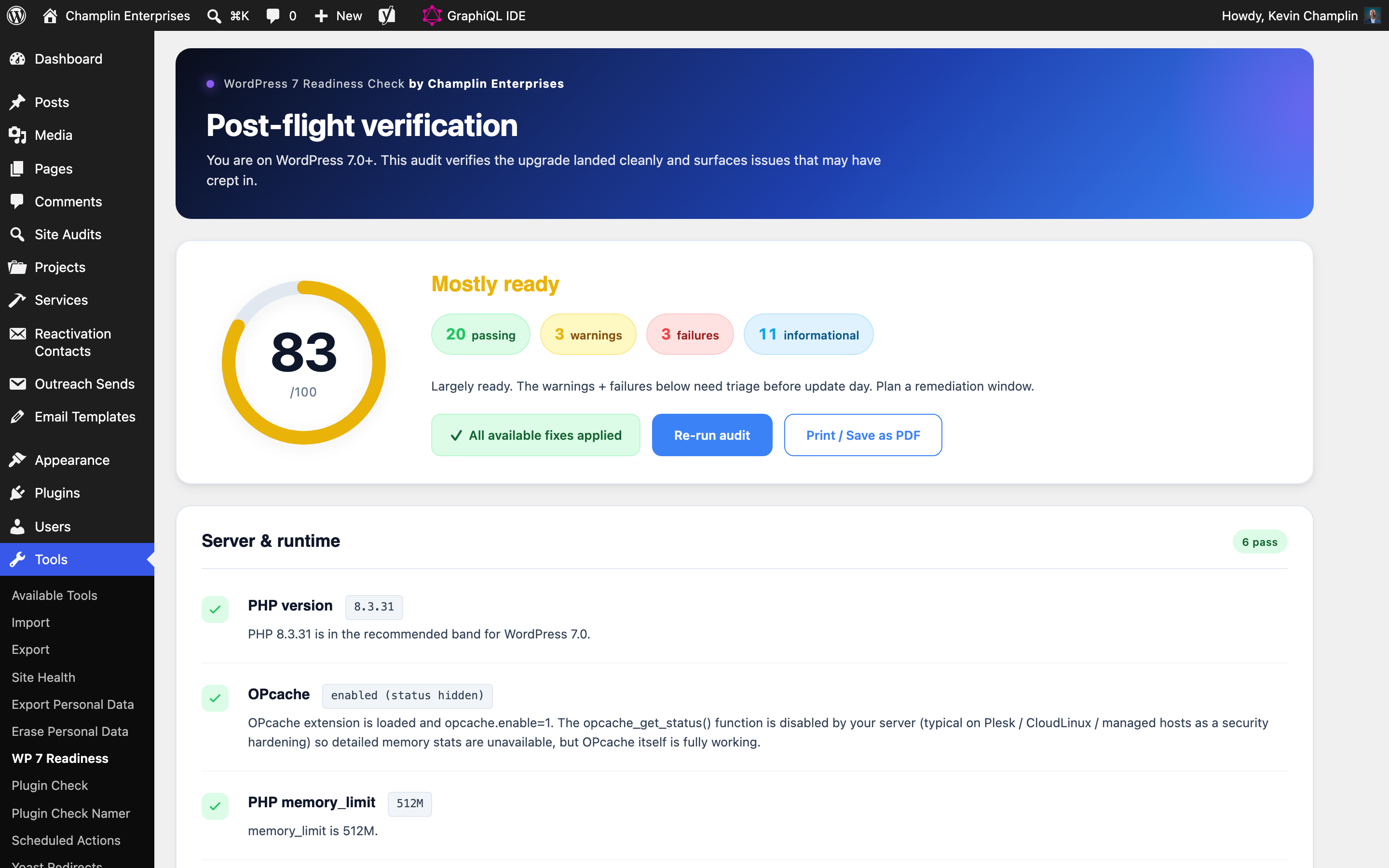
WordPress 7.0 is the biggest core release in years — and the first thing most site owners learn after clicking Update is which of their plugins quietly relied on a deprecated API. This plugin runs the same compatibility scan a senior engineer would run by hand: deprecated functions, removed APIs, PHP/MySQL drift, custom-code red flags, missing block.json files. You get a punch-list. You fix or acknowledge. Then you upgrade with confidence.
WordPress 7.0 deprecates and removes APIs that thousands of plugins and themes still use. A "compatible" plugin on the WP.org listing isn't necessarily compatible with your custom child theme, your specific PHP version, or your hardened host configuration.
The cheapest version of this problem is a Saturday morning rolling back to 6.x because comments stopped loading. The expensive version is a customer-facing 500 error your monitoring catches before your customers do — or worse, doesn't.
Run the audit on a staging copy (or production, it's read-only). The plugin scans active themes + plugins for deprecated function usage, checks your PHP/MySQL/WP versions against the 7.0 minimum, detects managed-host environments (Plesk, CloudLinux, Pantheon, WP Engine, Kinsta) for environment-specific guidance, and surfaces a prioritized list of findings. Acknowledge the known-risks; fix the rest; ship the upgrade.
Scans active plugins and themes (skipping vendor + managed-host snapshot directories) for usages of functions that 7.0 removes. Surfaces file path, line number, and the specific deprecated symbol.
Distinguishes your custom child-theme code from vendor / framework code. Vendor lists span 30+ common patterns (ACF, WooCommerce, Elementor, Yoast, etc.) so noise stays low.
Detects Plesk, CloudLinux, cPanel, Pantheon, WP Engine, Kinsta, Flywheel, Cloudways, SiteGround, and Bluehost. Adjusts findings for each environment's quirks (open_basedir, disable_functions, snapshot directories).
Uses extension_loaded() instead of function_exists() for OPcache checks (most hosts disable opcache_get_status). Uses ABSPATH-based path detection that works under open_basedir.
Verifies a backup plugin is active and recently run before recommending the upgrade. Doesn't pester sites that already have UpdraftPlus, Duplicator, BackWPup, or BlogVault configured.
Findings you've reviewed can be acknowledged (signed by your WP user) so they stop blocking the readiness summary. Audit trail preserved for compliance.
Bundles plugin-update-checker (PUC) so GitHub installs get updates from Releases. WP.org installs use native WordPress updates.
No phone-home, no external API calls, no signup. The entire audit runs locally against your WordPress install.
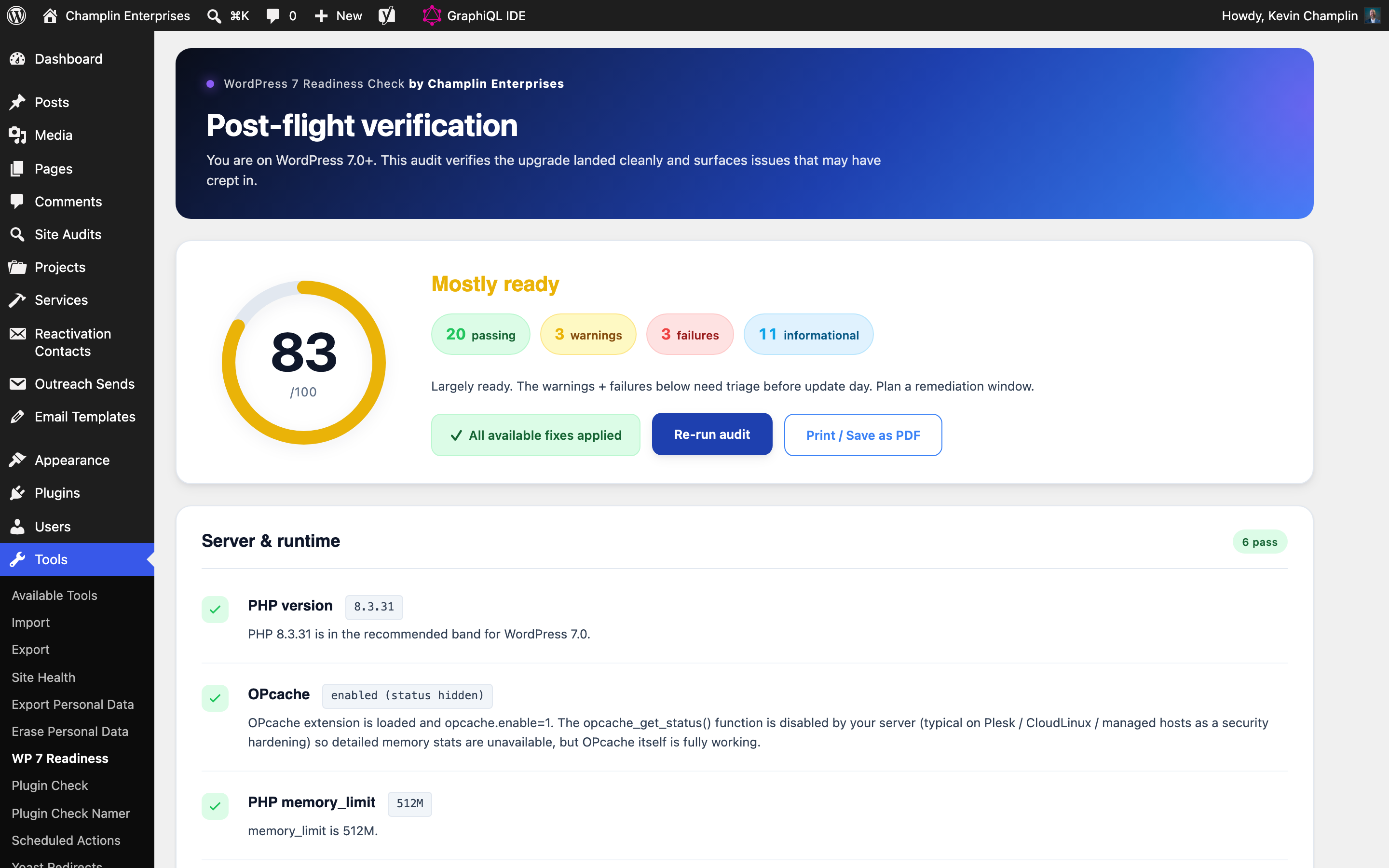
Readiness dashboard — top-level pass/fail with finding counts by severity. Acknowledged findings collapse out of the summary but stay in the audit trail.
Findings detail — each deprecated-function hit shows file path, line number, and the action you need to take. Filterable by severity, plugin/theme source, and acknowledgement state.
Yes — the plugin requires WP 6.0+ and PHP 7.4+, which covers most installs that need to be upgraded. It runs READ-ONLY; it never modifies your site or your database.
Yes — and it detects 10 managed-host platforms specifically. Findings are adjusted per environment: e.g., on Pantheon, snapshot directories are skipped; on CloudLinux, opcache checks use the hardened-host-safe pattern.
Site Health checks your environment. This checks your CODE — every active plugin and theme is scanned for deprecated function usage and removed APIs. Site Health tells you your PHP version; we tell you which line of which plugin is calling a function that 7.0 removes.
No. It's an independent plugin engineered by Champlin Enterprises. We submitted to the WordPress.org plugin directory and it's in review at the time of writing.
WordPress plugin directory requirement — all WP.org plugins must be GPLv2-or-later compatible. Source code is fully public on GitHub regardless.
Free download, MIT license, fully open source. Or — need Champlin Pre-Flight Audit customized for your stack, or something completely custom built? I take on senior WordPress engagements through Champlin Enterprises.